Ordering at Sonic is simple once you understand how the drive-in system works.
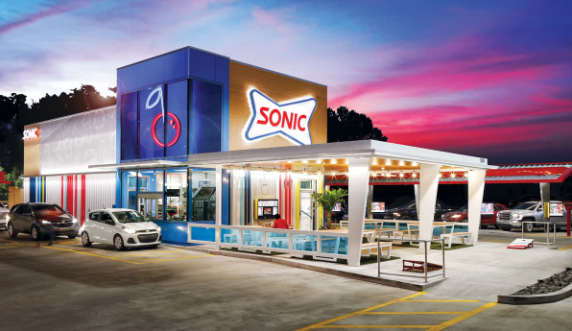
The most common method is to park in a numbered stall,
review the menu board, and press the red button to place your order.
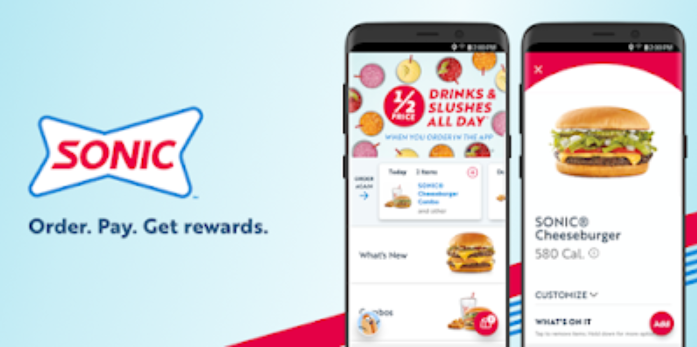
You can also use the Sonic App or website to order ahead,
unlock deals, customize your meal, and check in when you arrive.
Depending on the location, Sonic may also offer a drive-thru lane
or a walk-up window.
After ordering, a carhop delivers your food directly to your vehicle,
making the Sonic experience different from most regular fast-food restaurants.
Ways to Order at Sonic
Drive-In Stall Method
1
Locate SonicDrive to your nearest Sonic Drive-In location.
2
Park in a StallChoose an open numbered stall with a menu screen.
3
Place Your OrderPress the red button below the screen and speak with the order taker.
4
Confirm the DetailsTell the employee exactly what you want and confirm your full order.
5
Receive Your FoodWait a few minutes while a carhop brings your food and drinks to your vehicle.
Order Through the Website or App
1
Open the App or WebsiteVisit the Sonic website or open the Sonic app.
2
Sign In or Continue as GuestUse your MYSonic account, create one, or continue as a guest.
3
Add Payment MethodSave your card details if needed for faster checkout.
4
Select a Pickup LocationChoose the Sonic restaurant where you want to collect your order.
5
Browse and CustomizePick your menu items, add toppings, remove ingredients, and customize your order.
6
Review and CheckoutOpen your bag, select a pickup time, choose payment, and place the order.
7
Pick Up Your OrderArrive at Sonic at your selected time and collect your order from the stall, drive-thru, or designated pickup area.
Tip: Creating a MYSonic account can help you access rewards, deals, saved payment methods,
and faster checkout on future orders.
Sonic Ordering FAQs
1. How do you order at Sonic?
The most common way is to park in a numbered stall, look at the menu board,
and press the red button to order through the intercom.
2. Do I have to order from my car at Sonic?
No. Many Sonic locations also have a drive-thru lane, and some locations
may offer a walk-up window or patio ordering area.
3. What happens after I order at the stall?
After you place your order, a carhop brings your food and drinks directly
to your vehicle.
4. Can I use the Sonic app to order ahead?
Yes, the Sonic App allows you to order ahead, pay online, and check in when
you arrive at the location.
5. Does the Sonic app offer deals?
Yes, many customers use the app because it often includes special offers,
drink deals, and other discounts.
6. Can I customize my order at Sonic?
Yes, you can usually customize food and drinks through the app or by speaking
with the employee through the intercom.
7. How do I pay at Sonic?
Payment depends on how you order. You may pay in the app, at the stall,
or through the drive-thru, depending on the location.
8. Can I tip the carhop at Sonic?
Yes, many locations allow tipping, and the Sonic App often lets you add
a tip directly for the carhop.
9. Do all Sonic locations have a drive-thru?
No. Many Sonic restaurants have a drive-thru, but not every location is set up
in exactly the same way.
10. Is ordering at Sonic fast?
Sonic’s ordering system is designed to be quick and convenient, especially
for made-to-order meals, drinks, and snacks.